
A little Intune, a little clearer.
Choose who gets it.
A group is your guest list. Decide whether the invitation belongs to a person or a device before writing the rule.
The bits to keep.
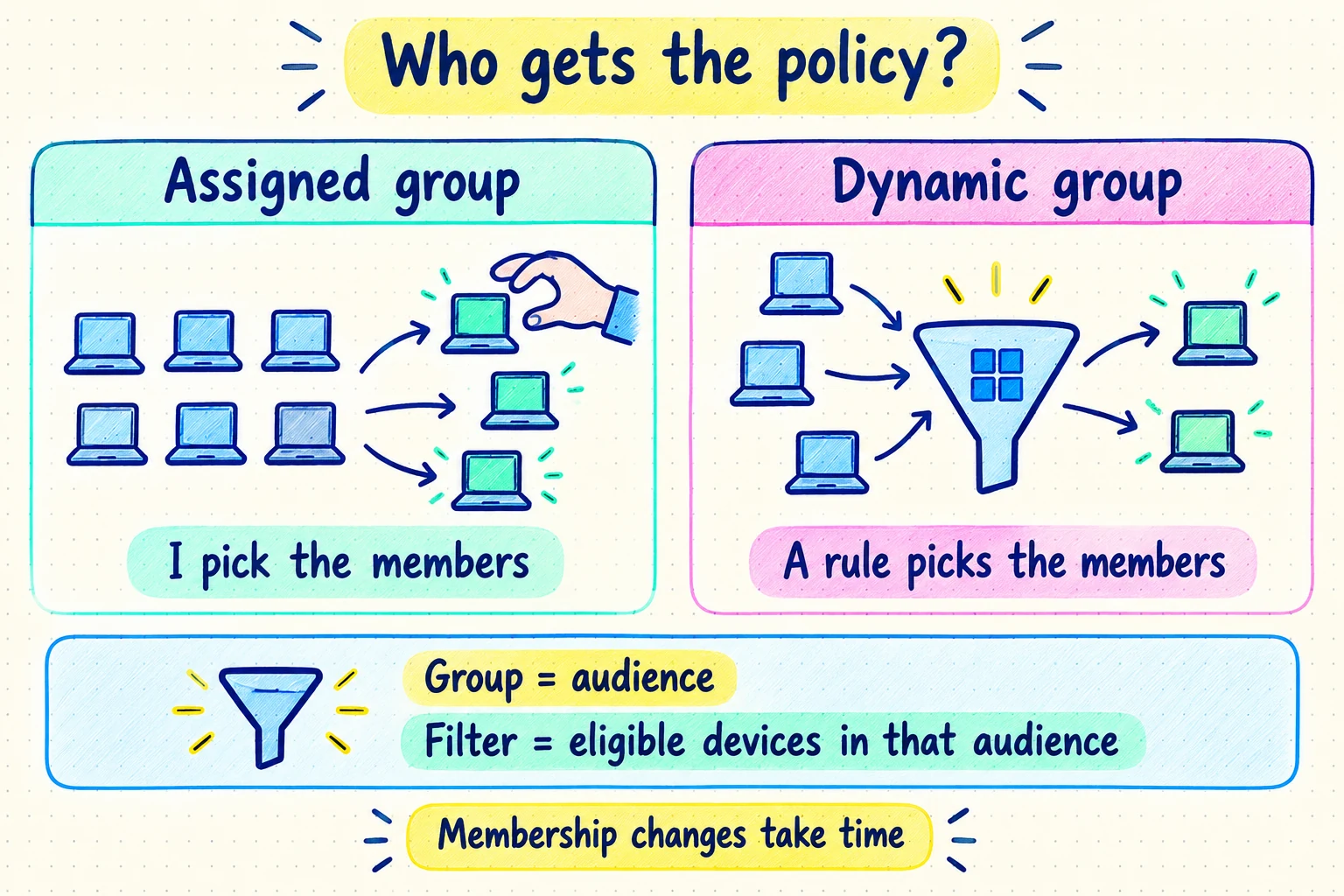
Assigned = hand-picked
Use an assigned group for a small pilot or an exception list you want to control.
Dynamic = rule-picked
Membership follows supported properties. A Windows rule can use device.deviceOSType -eq "Windows". Updates take time.
Keep the target consistent
User assignments follow people; device assignments follow devices. Use the same object type for an inclusion and its intended exclusion.
Ten named laptops must trial a policy tomorrow. Should you build a clever dynamic rule?
Think first. Then check the reasoning.
An assigned device group is simpler and keeps the pilot deliberate. For a growing population with reliable attributes, dynamic membership can remove the manual work.
Your turn. Three real questions.
From the practice bank. Pick an answer, then see why it works—or why it doesn’t. Your answers reset when you reload.
Question 1 of 3
A change advisory board approves exactly twelve representative laptops for the first release of a restrictive configuration. A device may enter the pilot only after an explicit approval, even if it shares properties with an approved laptop.
An operating-system rule would automatically admit every matching Windows device, including laptops that the board has not approved for the pilot.
All devices is intended for broad targeting and cannot represent a twelve-device approval list because its membership is not editable.
The requirement selects endpoints, not people, and department membership would neither identify the twelve approved laptops nor preserve device-level approval.
Pilot membership is itself an approval decision, so an assigned device group preserves the curated list and changes only when an authorized person or process explicitly changes it.
Question 2 of 3
Contoso is deploying a lock-screen configuration to shared reception kiosks. The setting must apply before any receptionist signs in and must remain when staff rotate.
User-group targeting follows each receptionist to applicable devices, so it does not reliably establish the kiosk configuration before sign-in or keep targeting tied to the kiosk hardware.
A scope group limits which objects an administrator may manage through RBAC; it does not by itself deliver the lock-screen profile to those devices.
Mixed user and device membership makes the assignment context ambiguous and harder to troubleshoot; the stated behavior is entirely device based.
The required behavior follows each endpoint and must exist without a primary user. Device-group targeting therefore gives the configuration to the kiosks regardless of which receptionist signs in.
Question 3 of 3
Fabrikam needs a reusable Entra security group containing every current and future device whose directory operating-system property is Windows. Administrators must not maintain the member list manually.
Dynamic device membership rules evaluate device properties; changing the object prefix to user does not test the Windows property of device objects.
A display-name convention is not stated and can change independently of the operating system, so this rule can omit Windows devices and include misleadingly named devices.
The -ne operator selects devices whose operating-system property is not Windows, which reverses the population requested by Fabrikam.
A dynamic device rule evaluates the device object. An exact comparison of device.deviceOSType with Windows expresses the stable classification requested and automatically reevaluates current and future objects.
That’s the idea.
What stuck?
Say your answer, then open the card to check.
Assigned or dynamic: which fits an approval-controlled pilot?
Assigned membership. Each device is deliberately added or removed, so membership records the approval decision instead of changing automatically when a property matches.
What is a dynamic device group?
A Microsoft Entra security group whose device members are added and removed by evaluating a membership rule against supported directory properties.
Assignment group or filter: which refines one policy at check-in?
An Intune assignment filter. The group establishes the initial target; the filter then includes or excludes devices from a supported assignment using managed-device properties.